
November 2025 Product Update
December 12, 2025


In November, our team delivered functionality that unlocks new instant payment use cases and improves operational efficiency for key banking workflows.
These updates include:
- Improving how payment schedules are viewed in the Synctera Console
- Bringing greater efficiency to how disputes are managed
- Increasing visibility into why accounts are frozen or suspended
- And more…
Let’s dive in!
Surfacing More Data for Payment Schedules in the Synctera Console
Many businesses and consumers set up recurring ACH transactions or internal transfers from their bank accounts to automate payments, manage budgets, and more. Within the Synctera Console, operations personnel can easily view all payment schedules to effectively handle customer support requests or manage transaction monitoring workflows.
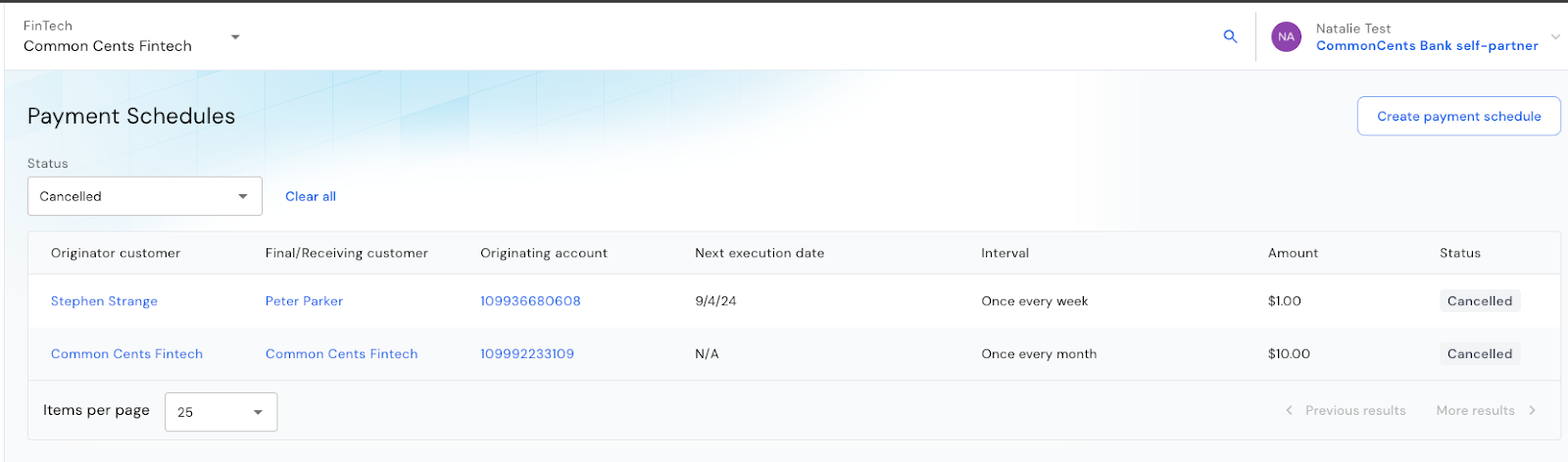
Within the Payment Schedules tab of the Synctera Console, we’ve now surfaced even more data related to each scheduled payment, including:
- Details of the customer conducting the transaction with a link to the customer profile and account pages
- Customer receiving the transaction (for internal transfers)
- Transaction amount
These enhancements enable our customers to gain additional insights into each transaction and easily navigate to all of the related customer and account pages. Learn more about setting up payment schedules in our developer documentation.
Improving How Disputes are Managed
Whether it be suspected fraud or an error from a merchant, end-users can dispute transactions that are conducted on their cards or accounts. Once a dispute is initiated, internal operations teams must investigate the dispute and determine if a chargeback claim should be initiated with the network.
This workflow often requires a lot of back and forth, resulting in a time intensive process. Within the Synctera Console, we’ve made improvements to how disputes are managed to make these processes as efficient as possible. These enhancements include:
- Adding the ability to easily modify the dispute amount, when necessary
- Providing information on which supporting documentation is missing in order to adhere to regulatory requirements
- Associating already conducted refunds with dispute records, enabling teams to easily spot when a refund has already been initiated
- Surfacing more details related to the reason the dispute was initiated
- Improving insights into case status and prioritization
Increasing Visibility into Why Accounts are Frozen or Suspended
When an account is frozen or suspended, a “reason” is required to track why the action was taken. Not only is this essential to maintaining regulatory compliance, but this data also helps compliance teams identify emerging fraud trends.
To improve the trackability of these reasons, users of Synctera Insights can now access a report that lists all of the Note Content and details surrounding the reason for the Note. With this report users can easily search for or filter the list based on Note Type (such as account frozen) or specific reason content keywords, such as “fraud”, “inactivity”, or “customer request.” Compliance teams can use this data to track fraud or risk trends and customer support teams can utilize this feature when assisting with end-user requests.
Adding the Ability to Retrieve and Store External Card Data for Instant Payments
Linking an external card is an easy way for end-users to instantly move money between accounts or fund their newly opened account. Leveraging Synctera’s built-in instant payments functionality, FinTechs can provide their end-users with the ability to link external cards to immediately push or pull funds from. When building this functionality into their banking application, FinTechs can utilize Synctera’s out-of-the-box widget to provide a seamless end-user experience of linking an external card.
Additionally, to provide even more customizability, FinTechs that are PCI certified can now utilize a new Synctera API to create the end-user experience of adding an external card on file.
This provides FinTechs full control of the card linking flow, and also enables portability of external cards already on file with other vendors. Once an external card is linked, this card’s data is stored in Synctera’s Vault in a PCI compliant manner. FinTechs can use the data to gain more insights into spend behavior on these external cards, better understanding the financial lives of their customer base.
Check out our guide on how to build this functionality in your FinTech product.
Improving Reporting for Politically Exposed Persons (PEP)
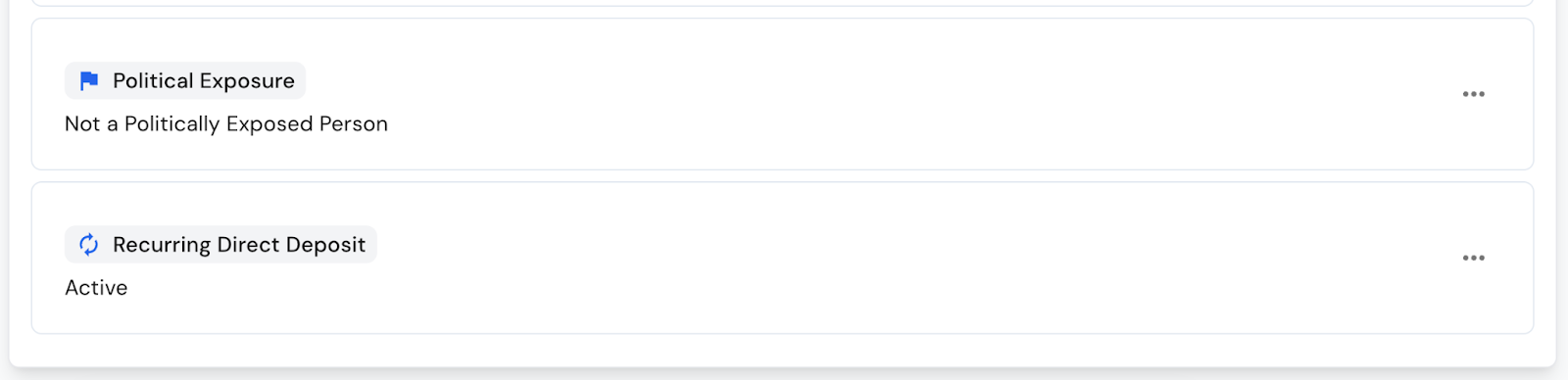
For FinTechs that conduct enhanced due diligence (EDD) during the KYC process, they can now leverage the Synctera API to report on Politically Exposed Persons (PEP). By capturing PEP details during KYC, FinTechs can apply the appropriate EDD workflow. For example, if a customer is identified as a PEP, the API can automatically flag this in the Console, helping both the FinTech and the bank determine the correct risk controls and onboarding steps.
Greater controls and data visibility ultimately helps ensure that onboarding decisions align with bank policy and approval requirements.
Check out our API reference guide to learn how to incorporate this feature into your onboarding process.
Product
Great banking products get built and scaled on Synctera’s end-to-end platform

.svg)