
January 2026 Product Update
February 23, 2026


In January, our product and engineering team released updates allowing customers to use new data for custom logic and automation, while also streamlining compliance and operations workflows in Synctera Cases.
These updates include:
- Adding webhook event triggers to Spend Controls
- Making enhanced due diligence reviews more efficient within Synctera Cases
- Improvements to how users leave notes in Synctera Cases
- Exposing Customer Risk Ratings through the Synctera API
Let’s dive in!
Adding webhook event triggers to Spend Controls
Synctera enables our customers to set up custom spend control rules to set predetermined limits to transaction dollar amounts, time range, or even to block transactions within certain merchant category codes (MCC).
We’ve now added the ability to our customers to receive webhook events anytime a Spend Control is triggered. With these events, FinTechs can react to Spend Control triggers in near real time, for example, by creating end-user messaging logic, logging events in their own risk systems, or kicking off internal review workflows.
Learn more about setting up webhooks with Synctera in our webhook developer guide.
Making enhanced due diligence reviews more efficient within Synctera Cases
Enhanced due diligence (EDD) is a process that financial institutions use to check and monitor high-risk customers and unusual transactions for potential money laundering activities. FinTechs and banks can define criteria for which end-users are deemed high-risk and therefore require an enhanced due diligence review.
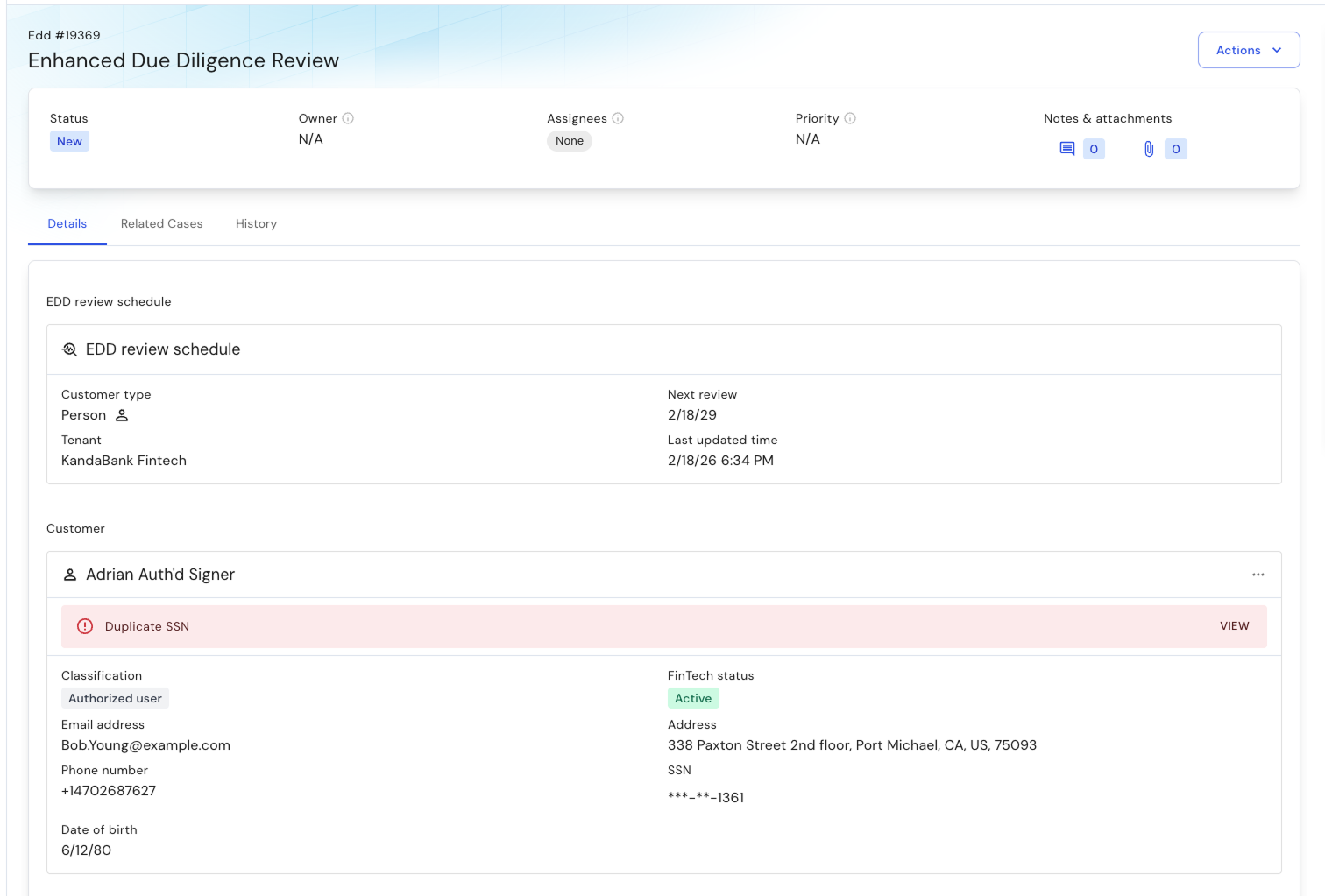
To make these reviews more efficient, we’ve launched a new Enhanced Due Diligence case type within Synctera Cases. Anytime a high-risk end-user is onboarded, an enhanced due diligence case will automatically be opened and assigned to the relevant compliance operations personnel.
Within the case, compliance team members can view the end-user’s record, KYC/KYB results, and all supporting documentation. They can then conduct the necessary review and leave case notes as the case is resolved.
Improvements to how users leave notes in Synctera Cases
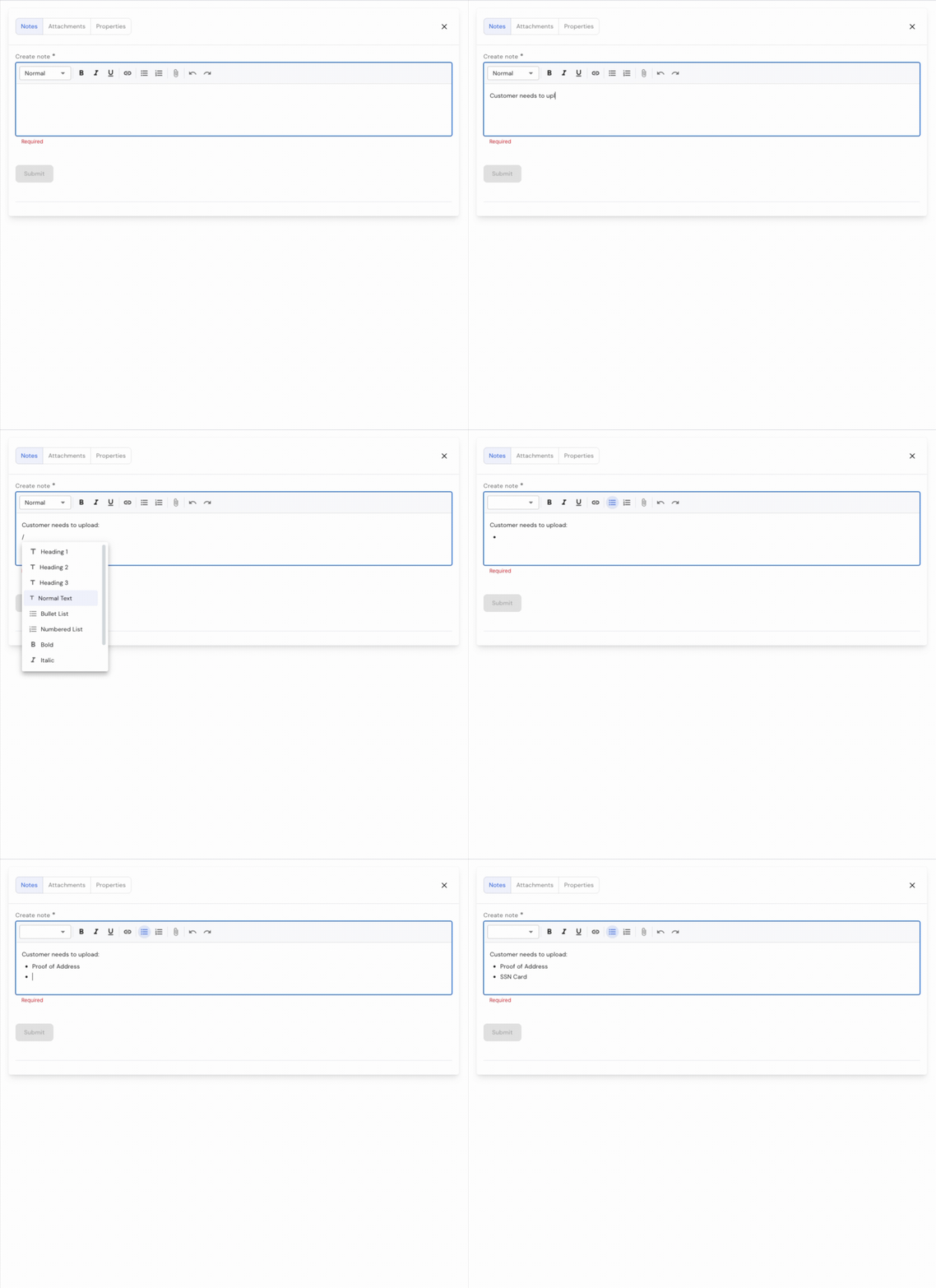
Investigations often span multiple screens and data sources, and losing a partially written note can slow down your team. We’ve recently released an update where case notes will automatically be saved as a dedicated draft whenever a Console user switches tabs or closes the case panel in the Console. This helps operations and risk teams document cases more accurately without worrying about losing work if they need to look up additional information.
Additionally, to make the case notes editor more powerful and efficient, we’ve added a slash-command function to the editor. When making a note Console users can type “/” and have a pre-populated list of commands they can add to the case note, including inserting an image, creating a diagram, inserting quotes, and more.
Exposing Customer Risk Ratings through the Synctera API
When a customer is onboarded, they are assigned a Customer Risk Rating (CRR) based on the information provided during the KYC/KYB process. This risk rating can be configured by Synctera’s customers and bank partners, and helps compliance teams better understand the risk profile of their end-users.
CRRs can now be accessed through the Synctera APIs, which enables FinTechs to use these data points in their own internal logic. For example, FinTechs can adjust product capabilities or review thresholds based on a customer’s risk rating.
Learn more about the List CRR API endpoint in our developer documentation.
Product
Great banking products get built and scaled on Synctera’s end-to-end platform

.svg)