
December 2025 Product Update
January 15, 2026
.png)


In December, our team launched new updates that focus on making key data visible and easily searchable in the Synctera Console, making workflows and program oversight more efficient.
These updates include:
- New Global Search functionality in the Console
- Adding merchant information into a card’s list of transactions
- Enhancing user management by introducing the User Details page
- Improving fraud & dispute management for transactions involving external cards
- And more…
Let’s dive in!
Introducing Global Search in the Synctera Console
The Synctera Console is the central command system for FinTechs’ banking product and banks’ entire sponsor banking program. It contains all of the end-user data, transaction records, and program details needed for all parties to operate effectively.
Quickly finding the right information, when it’s needed, is key to operational efficiency. To improve how Console users search for and find information, we’ve introduced a Global Search functionality in the Synctera Console.
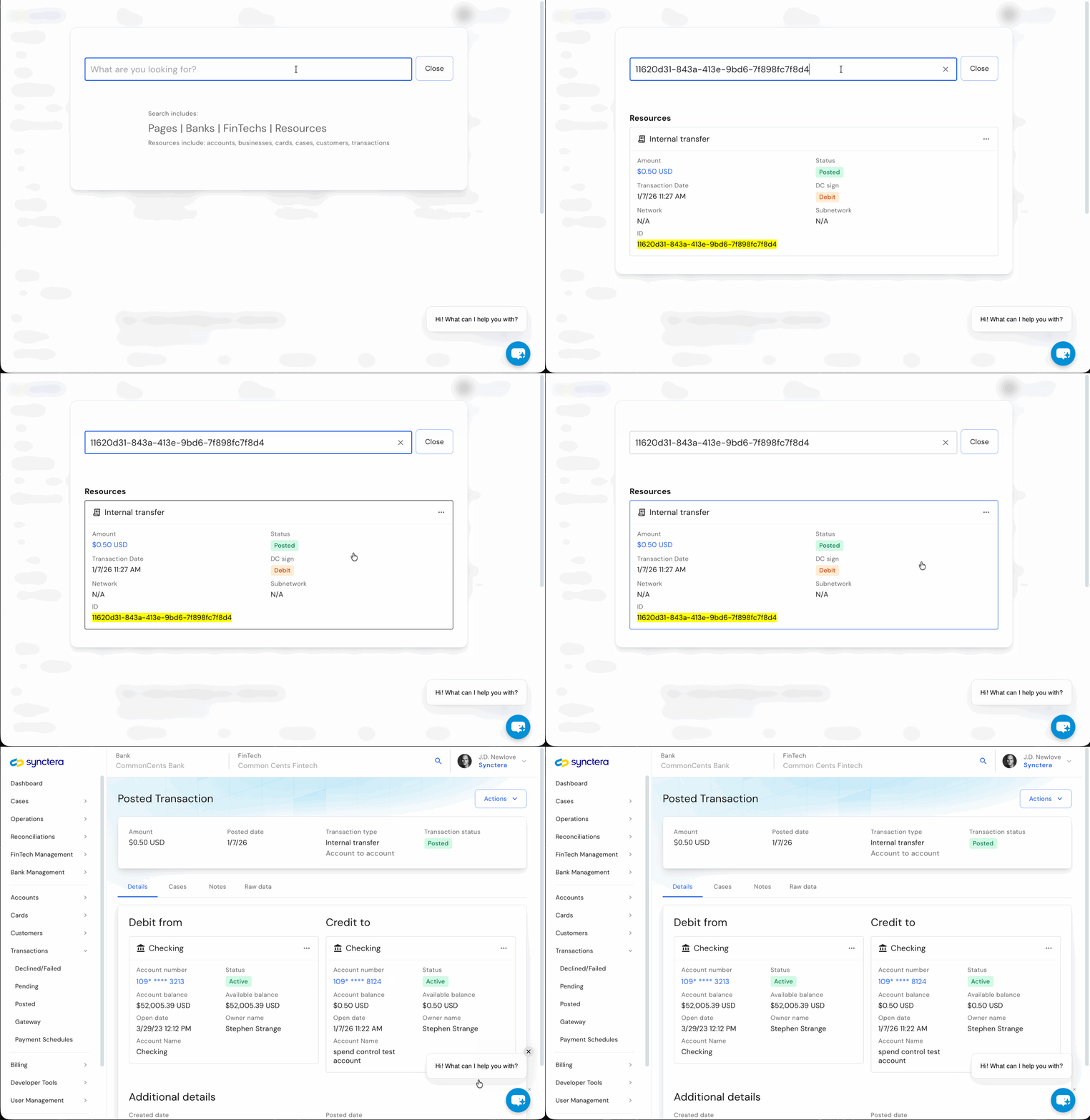
Global Search allows users to input a search query which will pull up all end-users, accounts, transactions, resources, or paths that contain the specific search term. Users can then easily navigate to the applicable page within the Console to access the information or perform their task.
In the example below, we show how the Global Search can be used to easily find a specific transaction by searching for the transaction ID record.
Adding merchant information into a card’s list of transactions
Within the Synctera Console, users can easily view all of the details for a specific end-user card. The card’s information and activity are commonly used to address customer support issues or investigate suspicious activity.
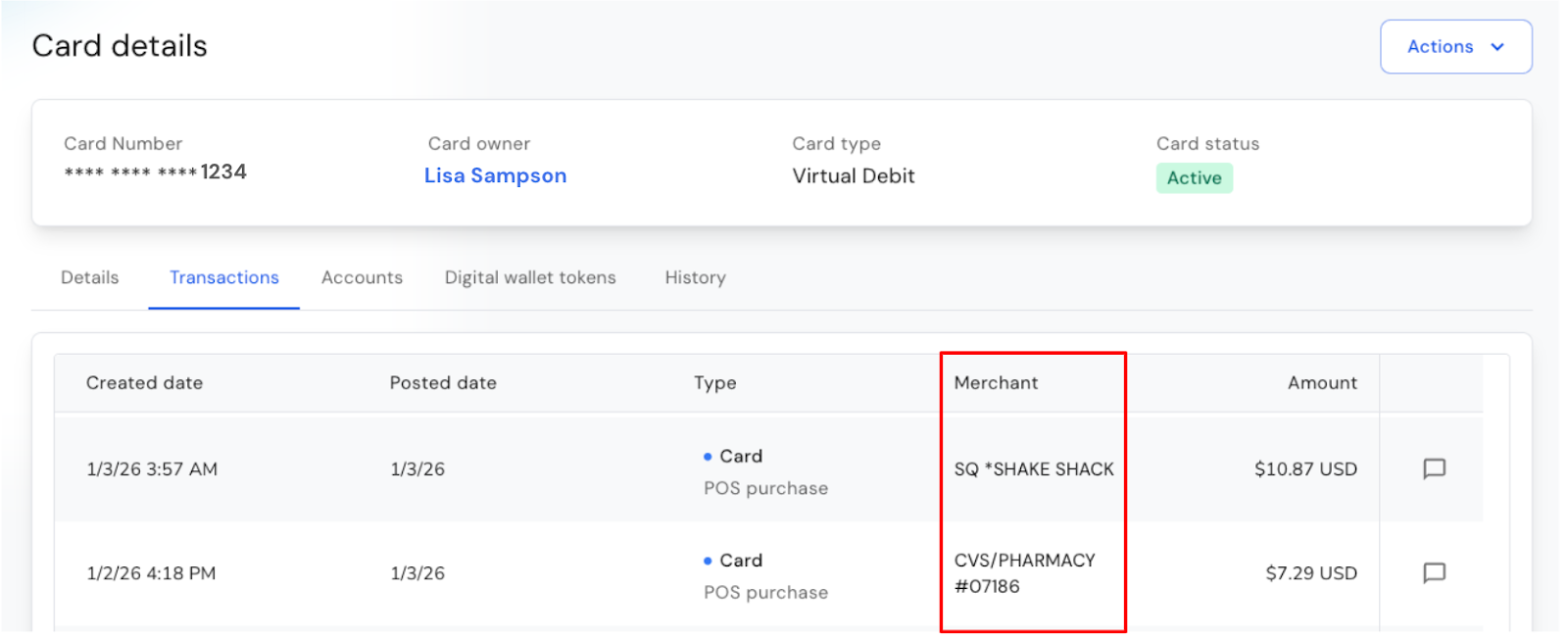
The Console’s Card Details page contains a list of all of the transactions conducted on each end-user card. To provide even more details to this list of card transactions and make it easier to identify a specific transaction, each specific transaction now includes the merchant name, along with the transaction date, type, and amount.
Enhancing user management by introducing the User Details page
For FinTechs and banks, having the right security controls in place for user access to the Synctera Platform is key to maintaining a comprehensive security program and mitigating risk.
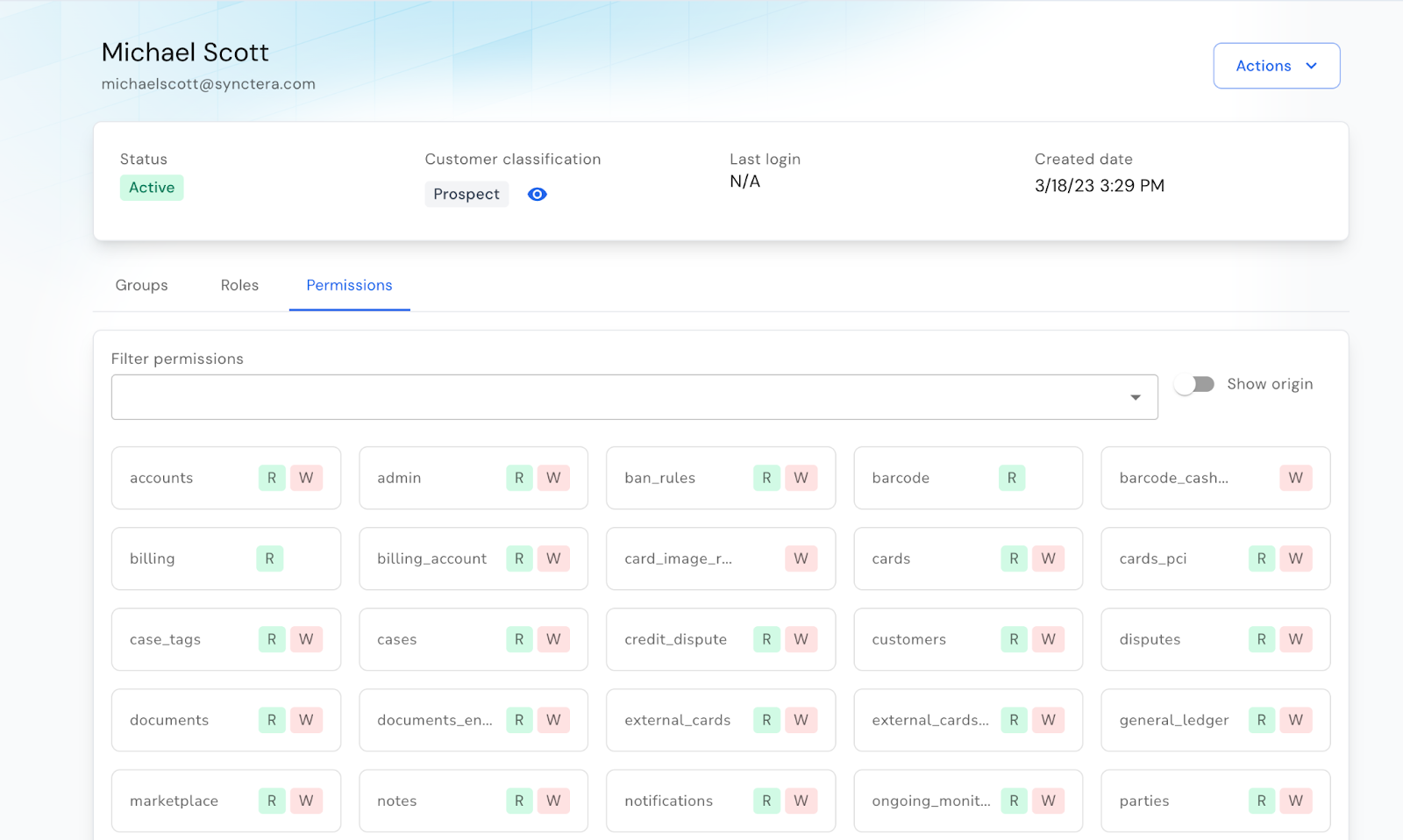
We recently launched a new User Details page that provides administrators with a view into each specific users’ roles, groups, and permissions they have. From this page the administrator can also easily perform key actions, such as editing the users’ permissions and information or resetting their multi-factor authentication (MFA).
The new User Details page, which can be easily navigated to from the User Management section of the Console, empowers system administrators to seamlessly manage user access within the Synctera Platform.
Improving fraud & dispute management for transactions involving external cards
End-users can move money into or out of their account with funds accessed via external cards. The Synctera Platform stores the card details of linked external cards, but in some instances an end-user may link and then unlink one of these cards. In some instances, this may even be a signal of fraud if the end-user repeatedly links and then unlinks external cards.
Previously, when an end-user unlinked an external card, all of the data associated with this card was no longer visible in the Console, even though the data remained in the Synctera Platform. To increase the visibility of this data and make it easily accessible by compliance or operations personnel, the list of external cards now includes all active or deleted cards.
Users of the Console can then click into the card details to view all associated history and transactions. Additionally, users can filter to show only active or deleted cards, depending on the needs of their dispute or fraud investigation.
Providing more clarity into business account relationships with customizable roles
For companies that offer business banking and card products, these accounts are linked to the employees at the companies that have access. To provide greater clarity and control over the relationship between a business and a linked person, FinTechs can now enter in job title details using a free text field in the instance that the person’s title does not fit one of the pre-defined roles.
When creating the relationship between person and business, FinTechs can use the field additional_data.title_other to enter the specific title or professional role that the person has at the business.
Providing and tracking this information provides a valuable resource for compliance personnel to have deeper context for each person that is being linked to a business account. This data can be used during any fraud or dispute investigations that arise.
Adding more functionality to notes within Synctera Cases
When managing a case within the Synctera Console, compliance and operations personnel now have the ability to leverage a rich text editor for adding comments to the case.
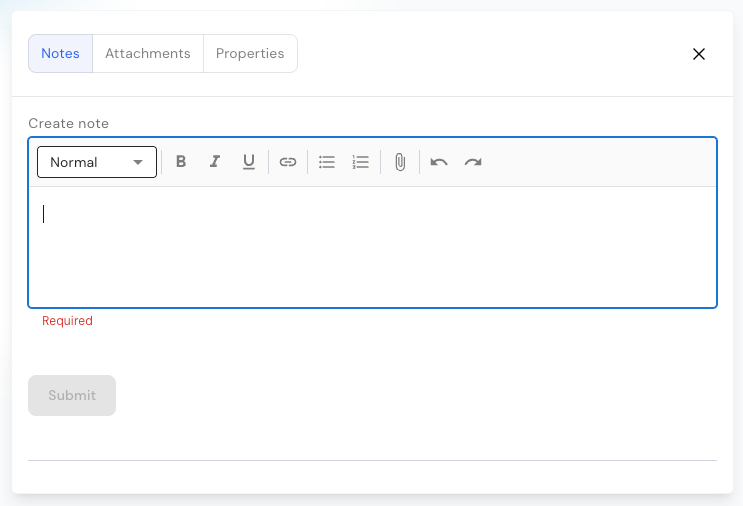
The rich text editor enables those who are working cases to include hyperlinks, images, or other documentation directly into a comment. It also allows for greater control of the formatting to enhance readability and reduce the risk of potential misunderstandings and avoids miscommunications.
Product
Great banking products get built and scaled on Synctera’s end-to-end platform

.svg)